How an agentic studio screens, scores and shortlists candidates for your hiring team
Open Recruiting Atelier and you do not see a generic AI dashboard. You see five named specialists doing the work a screening team would do: catching duplicates, checking the brief, scoring on four dimensions, ranking, drafting the dispatch. Drop one CV or fifty. Click any candidate to see exactly why they landed where they did. This is what AI for recruitment looks like when it respects your judgment instead of replacing it.
 Jigar JoshiAgentic AI Architect and Consultant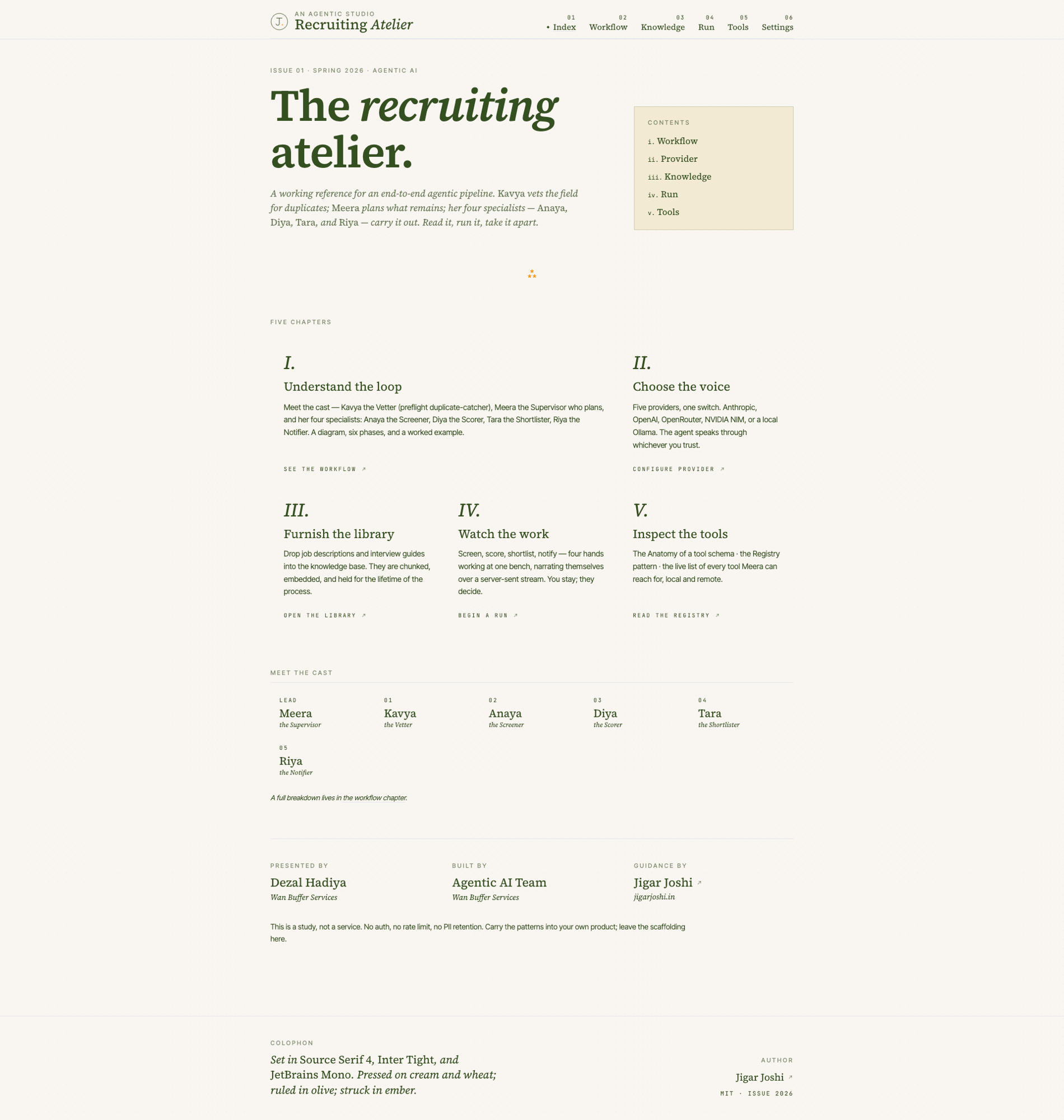
In this post (8 sections)
A friend who runs talent acquisition at a mid market IT firm in Ahmedabad told me last quarter that she opens an average of two hundred resumes a week. Most of them are off the brief. The ones that fit get a careful read. The rest get four seconds, a polite no, and a small amount of guilt. She wanted something to handle the four second read so she could spend her time on the candidates who actually warrant it.
Recruiting Atelier is the studio I built to do that work. It is open source. It is editorial in design, more magazine than dashboard. It has five named specialists who screen, score, rank and notify. The hiring team stays in control of the brief, the library of context, and the moment of dispatch. The studio handles the volume. This post is a walk through for anyone running a hiring function who wants to know what good AI for recruitment looks like in 2026. If you want the architecture under the hood (the ReAct loop, the tool registry, the guardrail layer) the technical walkthrough is the companion post. The studio itself sits in the broader pillar of enterprise AI automation.
What the studio actually does, in plain language
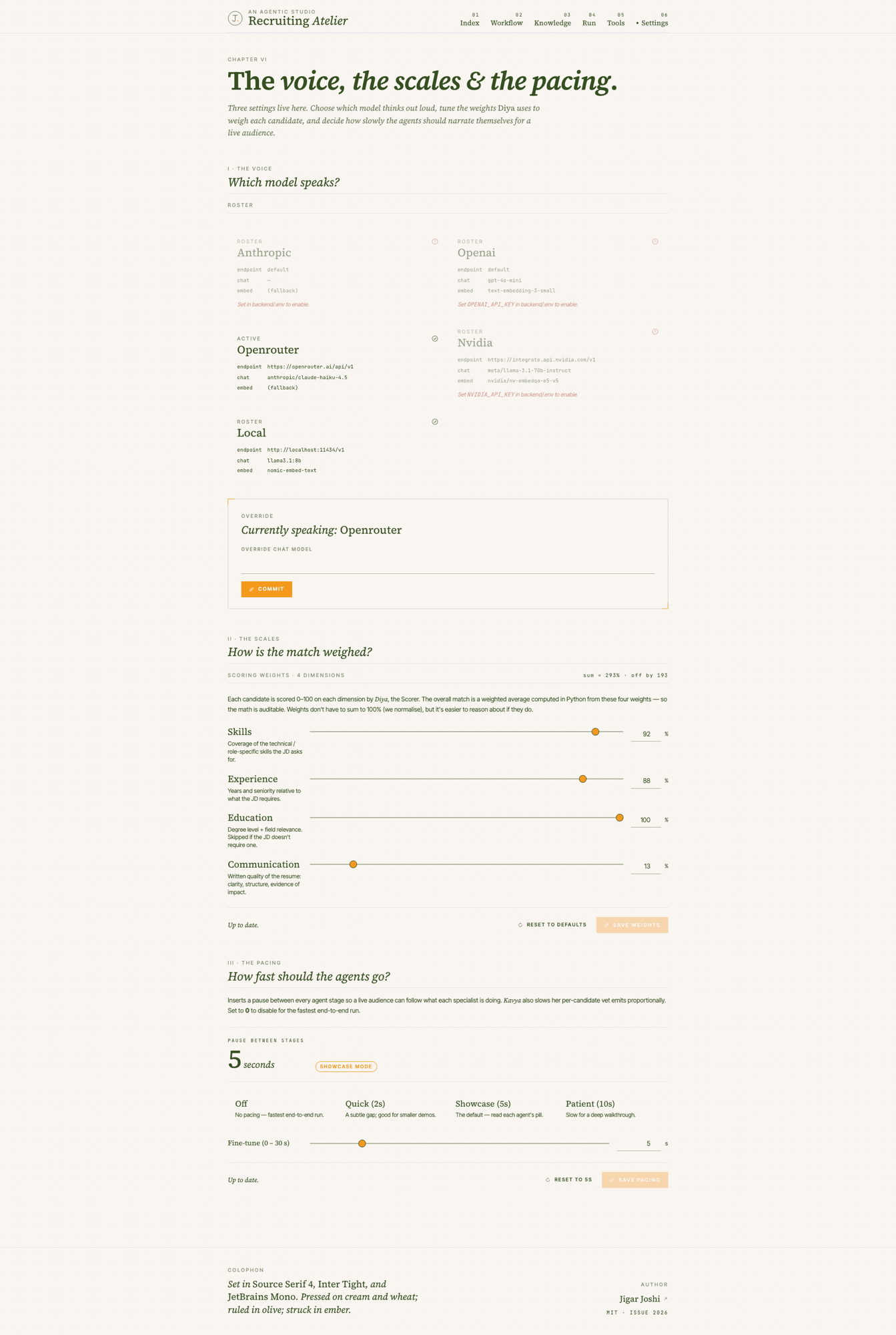
You build a small library of context: the job description, the interview guide, anything else a screener should have in their head when they read a CV. You drop one resume or fifty on the run page. The studio takes over from there.
- It catches duplicates before any screening happens, so the same CV submitted twice does not waste anyone’s time.
- It checks each CV against the must haves in the brief. Pass or fail, with reasons.
- For the ones that pass, it scores on four dimensions you choose the weights for: skills, experience, education, communication.
- It ranks the candidates that passed and pulls the top three (or whatever number you set per role).
- It drafts a hiring manager email summarising the shortlist, ready for you to review and send.
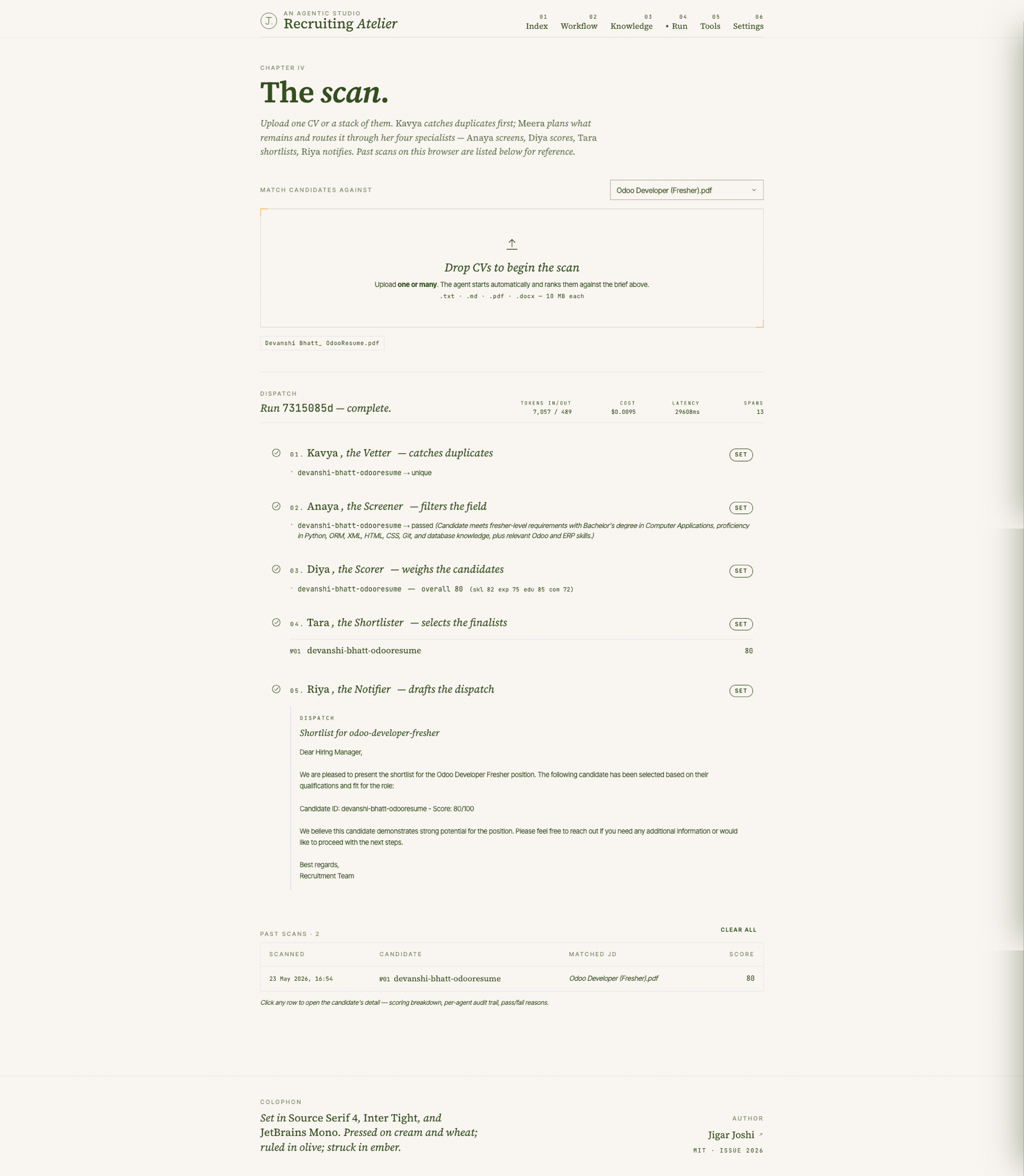
Every step is visible on screen as it happens. Every candidate gets a row in a table at the bottom of the page. Click any row and a panel slides in showing exactly why the candidate scored what they scored: a bar chart of the four dimensions, the screener’s pass or fail reason, the scorer’s justification, the rank position. The audit trail is the documentation. There is no black box.
Meet the cast
I gave each agent a name and a role because the trace is easier to read when the work has a face. Recruiters get this immediately. Engineers sometimes ask why. The reason is that the agents are not interchangeable. Each one has a specific contract, a specific scope, and a specific output schema. Naming them makes the architecture obvious to a non technical reader, and that matters when a hiring manager wants to know what is going on.
The way I describe this to clients is that the studio is a junior screener who never gets tired, never misses a duplicate, and always shows their working. The senior judgment stays with you.
A day with one open role
Picture a senior React developer role. Five years of experience, TypeScript, design system fluency. The JD and the interview guide live in the library. Fifty applicants land over the weekend.
- 01Monday morningYou drop the fifty CVs on the run page. The pipeline starts the moment files land.
- 02Kavya runs firstThree of the fifty are duplicates from a candidate who applied through two channels. Flagged, skipped.
- 03Anaya screensTwenty two of the remaining forty seven fail the must haves (no TypeScript, less than two years of experience, location mismatch). Each one is logged with the specific reason.
- 04Diya scores the survivorsTwenty five candidates get four scores each. The weights you set in /settings are applied in Python to compute an overall. You can audit every number.
- 05Tara picks the shortlistTop three for this role. The next five are visible too, in case you want to look beyond.
- 06Riya drafts the emailA short note for the hiring manager with the three names, their overall scores, and a one line summary of each. You read it, edit if needed, send when you are ready.
- 07You spend the rest of your morning on the actual interviewsNot on the screening you were doing for the last decade.
The whole pipeline ran in under a minute of compute time for the fifty CVs. The cost on an Anthropic Sonnet provider was a few cents. The cost on a local Ollama provider is zero. The cost saving is not the point. The point is what your hiring team did with the hour they did not spend reading off topic CVs.
How candidates are scored, and how to keep it fair
Diya scores four independent dimensions: skills, experience, education, communication. Each one is a separate LLM call, each with its own validation step that retries up to three times if the output is malformed. The overall score is computed in Python from the weights you set. The model does not decide the overall. That separation matters.
Why split the scoring? Because a candidate with strong skills and weak communication is a different hiring decision than one with strong communication and weak skills, and you want to see that in the breakdown. The single number an industry standard ATS gives you hides the trade off. The four numbers force the conversation.
On fairness, three things to know. First, the studio scores from the JD and the interview guide you provided. If your guide is biased, the scores will be biased. The studio does not invent criteria. Second, the scoring is consistent across candidates because the same prompt and the same weights run every time. Two CVs that read identically get scored identically. Third, the audit trail makes bias detectable. If a particular kind of CV consistently scores lower than expected, you can read the per dimension breakdown and the justification, identify the pattern, and fix the brief.
Where the recruiter stays in control
The pipeline runs by itself. The interface, on purpose, does not. There are three points where the recruiter holds the wheel.
The brief. The library is yours to curate. Job description, interview guide, anything else a screener should have in mind. A rich text editor lives in a right side drawer so you can edit without leaving the page. Save, and the document is re indexed for the next run.
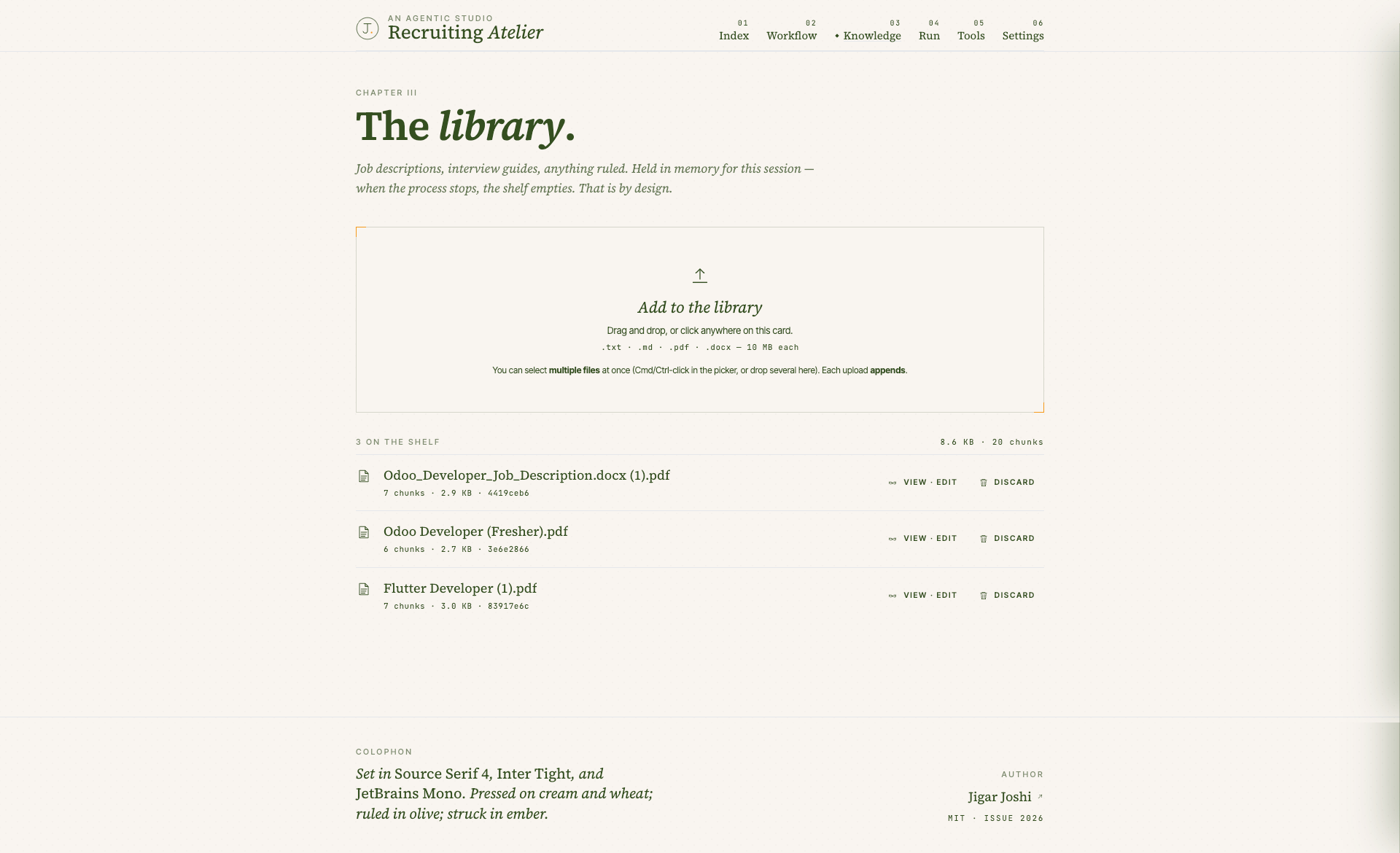
The scales. The four weight sliders for the scoring dimensions live in the settings page. Default weights are sensible. You should change them. A role where communication outranks everything else (sales engineer, customer success) needs different weights than a role where pure skill depth dominates (staff backend engineer). Save the weights, and the next run uses them.
The dispatch. Riya drafts the email. You read it. You decide if it goes. The studio does not send anything to your hiring manager without your final review. That is intentional. The first time a tool sends an email on behalf of a recruiter without permission is the last time the recruiter trusts it.
What this changes for a hiring team
Three things change when this is running.
Time. The screening pass that used to be a slow read across a long day becomes a coffee long task. You spend the saved hours on candidate conversations, not on candidate filtering. Most clients see the ratio of recruiter time spent on interviews versus reading go from roughly thirty seventy to seventy thirty inside two months.
Consistency. The same brief plus the same weights plus the same library produces the same scoring behaviour for every candidate. A junior recruiter, a senior recruiter, and an external sourcer all get the same first pass on the same candidate. Inconsistency in the initial screen is the most common quiet failure of a hiring funnel. The studio kills it.
Defensibility. When a hiring manager pushes back on a shortlist (or a candidate pushes back on a rejection) you have the audit trail. The per dimension breakdown, the screener’s pass or fail reason, the scorer’s justification, the rank position. Defending a decision is a clicked row on the past scans table, not a memory test for the recruiter who screened that candidate three weeks ago.
What it does not do
I want to be clear about the boundaries.
- It does not interview candidates. The shortlist is the input to your real interviews, not a substitute.
- It does not enrich candidates with anything outside the resume and the library you curated. No social profiles, no open internet scraping.
- It does not make hiring decisions. It surfaces a shortlist. The decision stays with the hiring team.
- It does not retain candidate text after a restart. The library is in memory by default. Shortlist scores are persisted, but the raw resume text is not.
- It does not replace your ATS. It plugs in front of it. Once you decide to advance a candidate, your existing ATS process takes over.
If you are looking for a system that automates the entire hiring funnel end to end with no recruiter in the loop, this is not it. The intentional choice is to keep humans in the loop at the brief, the weights, and the dispatch. The studio handles the volume between those three points.
How to try it
The repository is open and MIT licensed. Pull it, run make install, run make dev, open localhost:3000. There are fictional sample resumes included so you can see a full run in under five minutes without uploading anything sensitive. Read the workflow chapter first, then drop a CV on the run page and watch the pipeline fire.
If you want to talk through how a setup like this would fit your hiring function, the engagements I run usually start with a half day where we walk the existing screening process, identify where the studio replaces a step and where a human still owns it, and produce a written plan. That is the input to any actual rollout. The studio is the artefact. The engagement is the work. The service page that covers what this looks like end to end is AI automation for enterprises, and the broader strategic frame is agentic AI consulting.
Agentic AI patterns, delivered Thursdays
What I am shipping, watching, and pruning out of client stacks each week. One email. No fluff.